
Your Schedule E, Automated. Start Your Free Ledger.
Tax season is coming. Don't spend it digging through receipts. OmidanLedger organizes your rental income and expenses automatically.
- Automate bookkeeping with secure, read-only bank connections
- Generate tax-ready rental reports in one click
- Make confident decisions with real-time portfolio data
6 months free • No credit card required • Read-only bank access
Instant answers
Ask the OmidanLedger AI anything
Questions about security, reports, setup, pricing—ask here and get a clear answer.
Answers come from OmidanLedger’s actual features and reports.
Tip: Ask about your exact situation (units, LLCs, bank accounts). The AI will guide you.
Not sure if it fits your rentals? Ask a question above.
Ready to Get Started?
Create your free account today and see your financial picture clearly in minutes. No credit card required.
Built for Landlords — Not Accountants
OmidanLedger focuses on the metrics that matter to real estate investors. Less accounting jargon. More clarity, control, and confidence.
Cash Flow • NOI • Income vs Expenses • Per-Property Performance • Schedule E Categories
Securely connect your bank and credit card accounts using Plaid. Transactions are imported and categorized automatically — no manual entry.
See income, expenses, and NOI across all properties in one place. Understand your entire portfolio at a glance.
Generate Profit & Loss, cash flow, and Schedule E summaries in one click. Tax time without the scramble.
Plaid provides read-only access. We never see or store your bank credentials.
Set Up in 15 Minutes
Go from scattered bank statements to a clear financial picture faster than finding your old spreadsheet password.
01
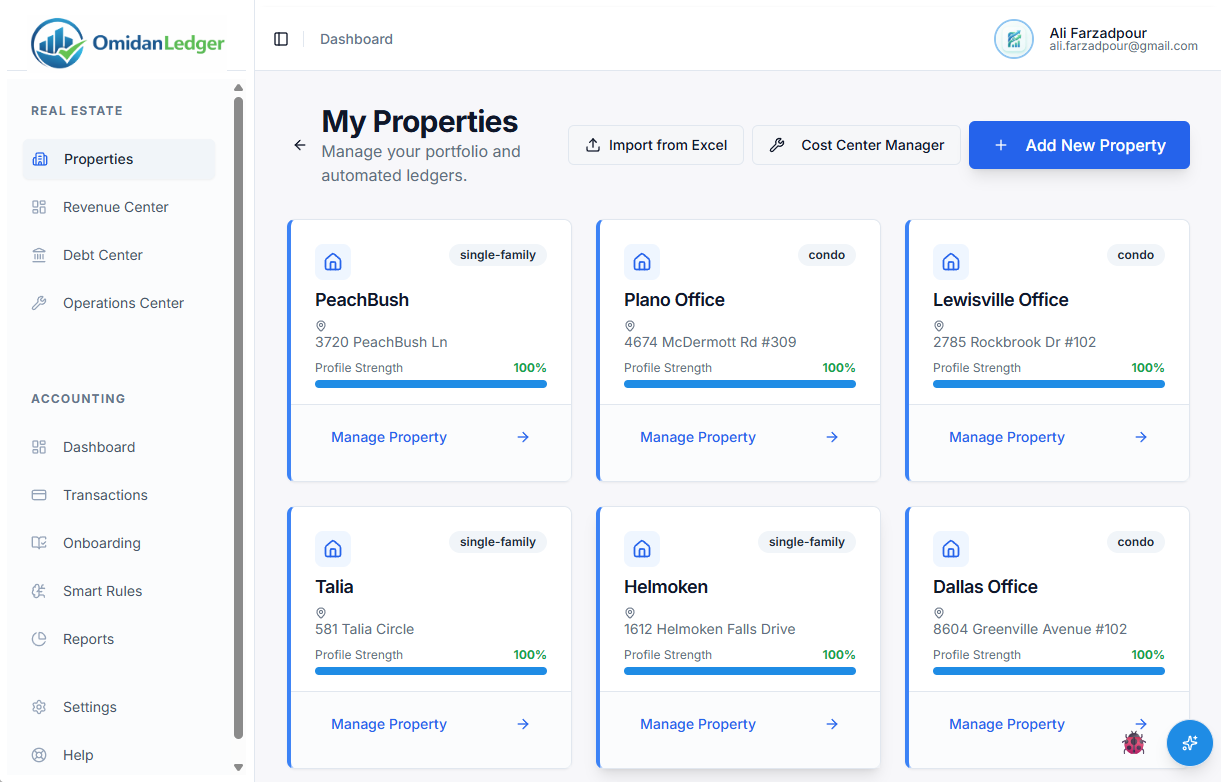
Add Your Properties
Enter basic property details. OmidanLedger automatically sets up rental-ready categories.
02
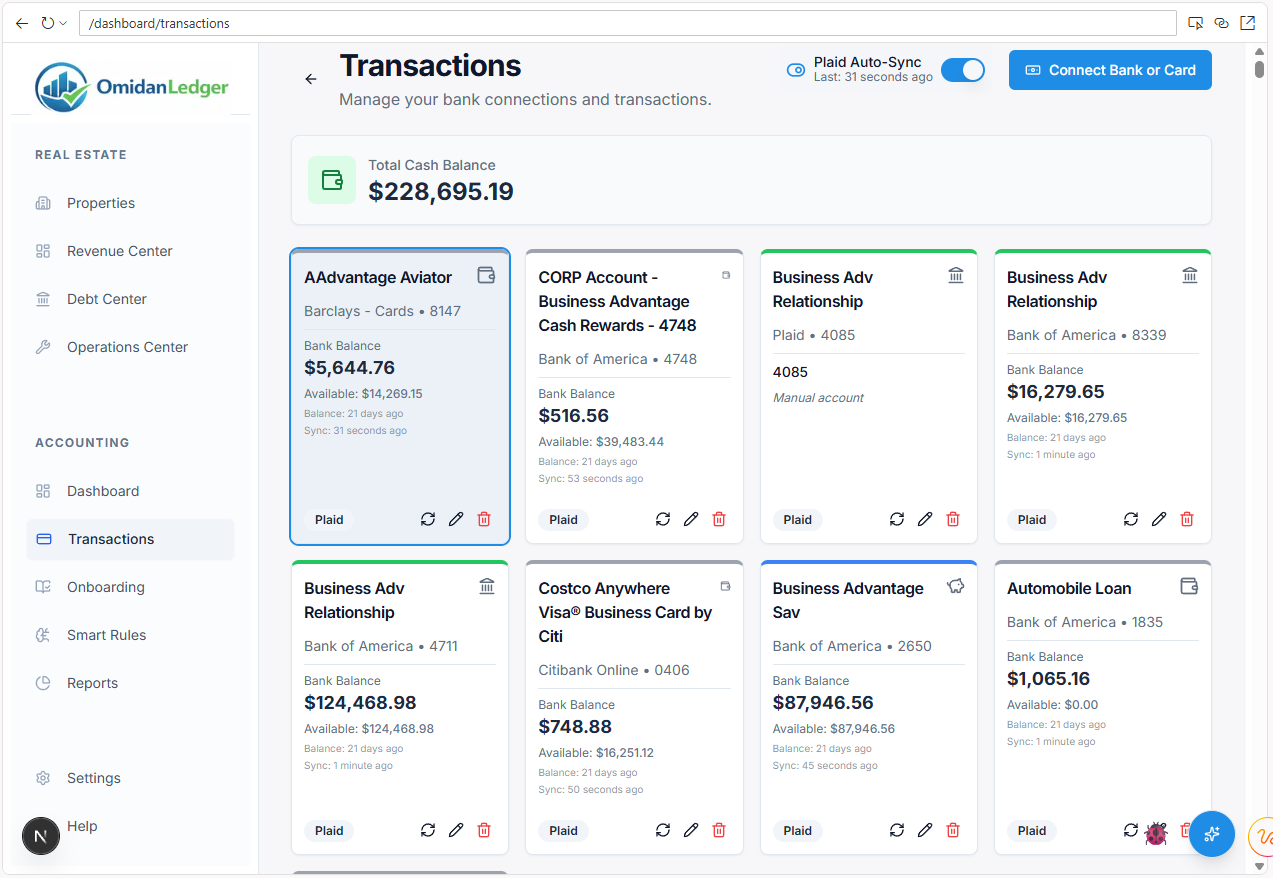
Connect Your Banks
Securely link your bank and credit card accounts in seconds using Plaid.
03
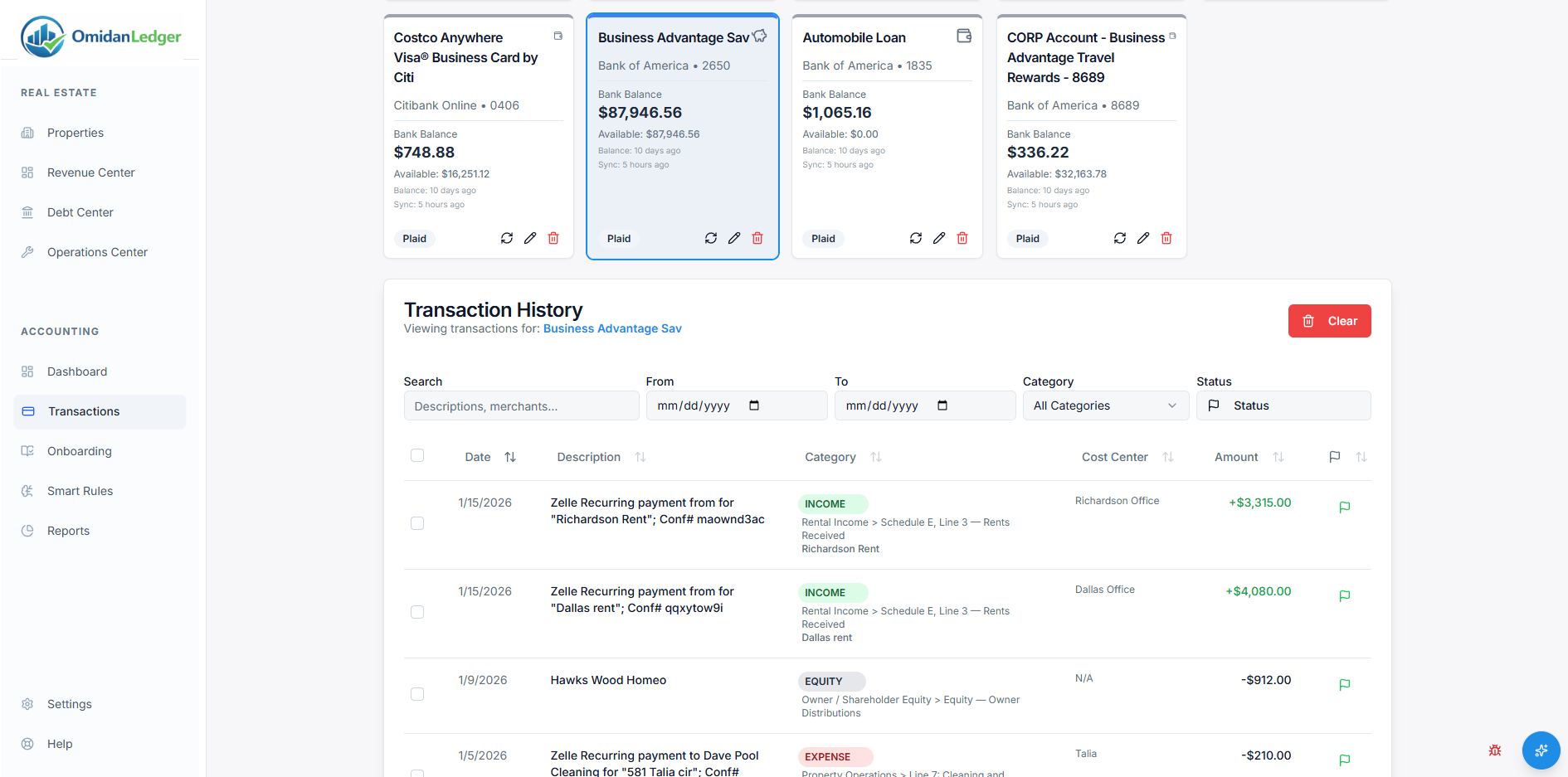
Review & Confirm
Transactions are pre-categorized for you. Review and approve — the system adapts to your preferences over time.
04
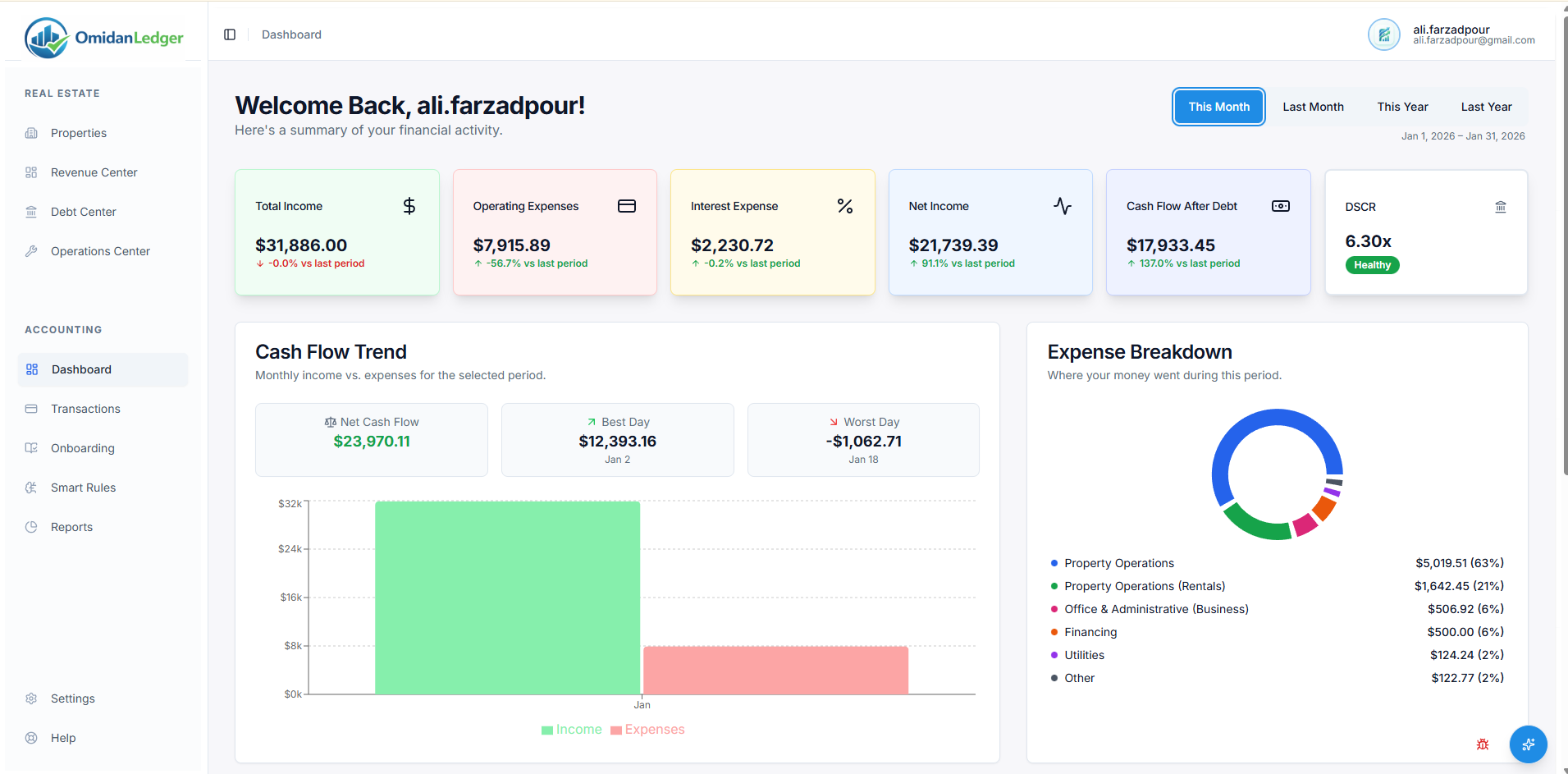
Get Real-Time Reports
Your dashboard stays up to date. Instantly view P&L, cash flow, and performance by property or portfolio.
Loved by Landlords Like You
“I used to spend a whole weekend every quarter catching up on my books. OmidanLedger gave me my weekends back.”
Sarah L.
Landlord, 4 Properties
“What took hours now takes minutes. The categorization is surprisingly accurate.”
David R.
Real Estate Investor
“This is the first tool I've used that understands rental bookkeeping without being complicated.”
Maria G.
Property Manager
Simple, Transparent Pricing
- Full access to all current and future features
- Unlimited properties, units, and bank connections
- Direct influence on the product roadmap
- 50% lifetime discount after the free period
Have a specific question?
Ask the AI assistant instead of searching—get the answer instantly.
Frequently Asked Questions
Ready to Stop Guessing?
Get clear, landlord-ready books and real-time insight into your portfolio.
6 months free • No credit card required